
Managing leases across multiple properties requires structure and accuracy. From tracking rent terms to monitoring expiry dates, every detail matters. A tenant lease management company in Dubai helps organize these processes through a clear system like HappyTenant.
This guide explains how the HappyTenant leasing feature works step by step. You will learn how to create, manage, activate, and complete leases using the platform. Follow along to understand the full lease workflow inside HappyTenant.
What is Tenant Lease Management?
Tenant lease management is the structured process of handling lease agreements from start to finish. It begins with creating and recording lease details, including rent terms, payment schedules, start and end dates, and security deposits.
Once active, the lease must be monitored closely. Managers track renewals, payment status, and compliance with local regulations. Proper documentation is also essential for legal clarity. When the lease ends, it must be completed and recorded accurately.
In simple terms, tenant lease management ensures every agreement is organized, tracked, and maintained throughout its full lifecycle.
How to Use the HappyTenant’s Leasing Feature? (Step-by-Step Guide)
The HappyTenant leasing feature organizes the entire lease process in one place. It allows users to create agreements, manage rent details, monitor status changes, and track completion.
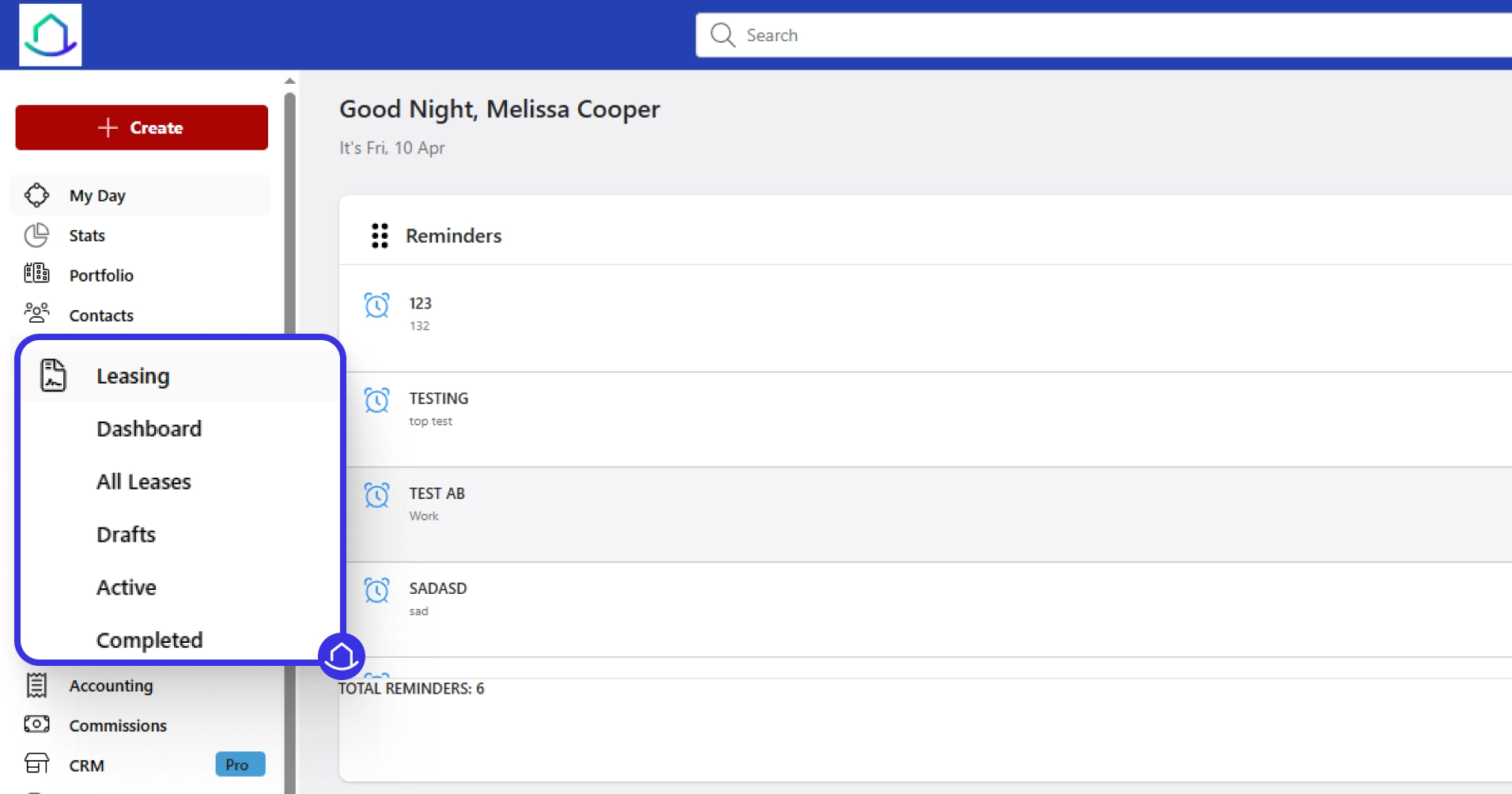
Accessing the Leasing Module in HappyTenant
- Log in to your HappyTenant account
- Open the left sidebar menu
- Click on “Leasing”
- Select from the dashboard: All Leases, Drafts, Active, or Completed
- View the Lease Snapshot section for a quick overview
- Check total lease counts (active, completed, drafts)
- Review the lease statistics chart
- Monitor the renewals graph
Creating a New Lease
- Go to the Leasing section
- Click “Add Lease” in the top-right corner
- Under Tenants, select an existing tenant or click Add Tenant
- Under Properties, choose the relevant property
- Select the appropriate unit
- In the duration section, choose lease type and category
- Enter start and end dates
- Set up the payment schedule (recurring or one-time)
- Add security deposit if required
- Define number of payments
- Review commission details (if applicable)
- Complete Dubai Tenancy Lease Information (if required)
- Click “Save Lease”
The lease will appear under the Drafts tab Generated invoices remain unposted until activation
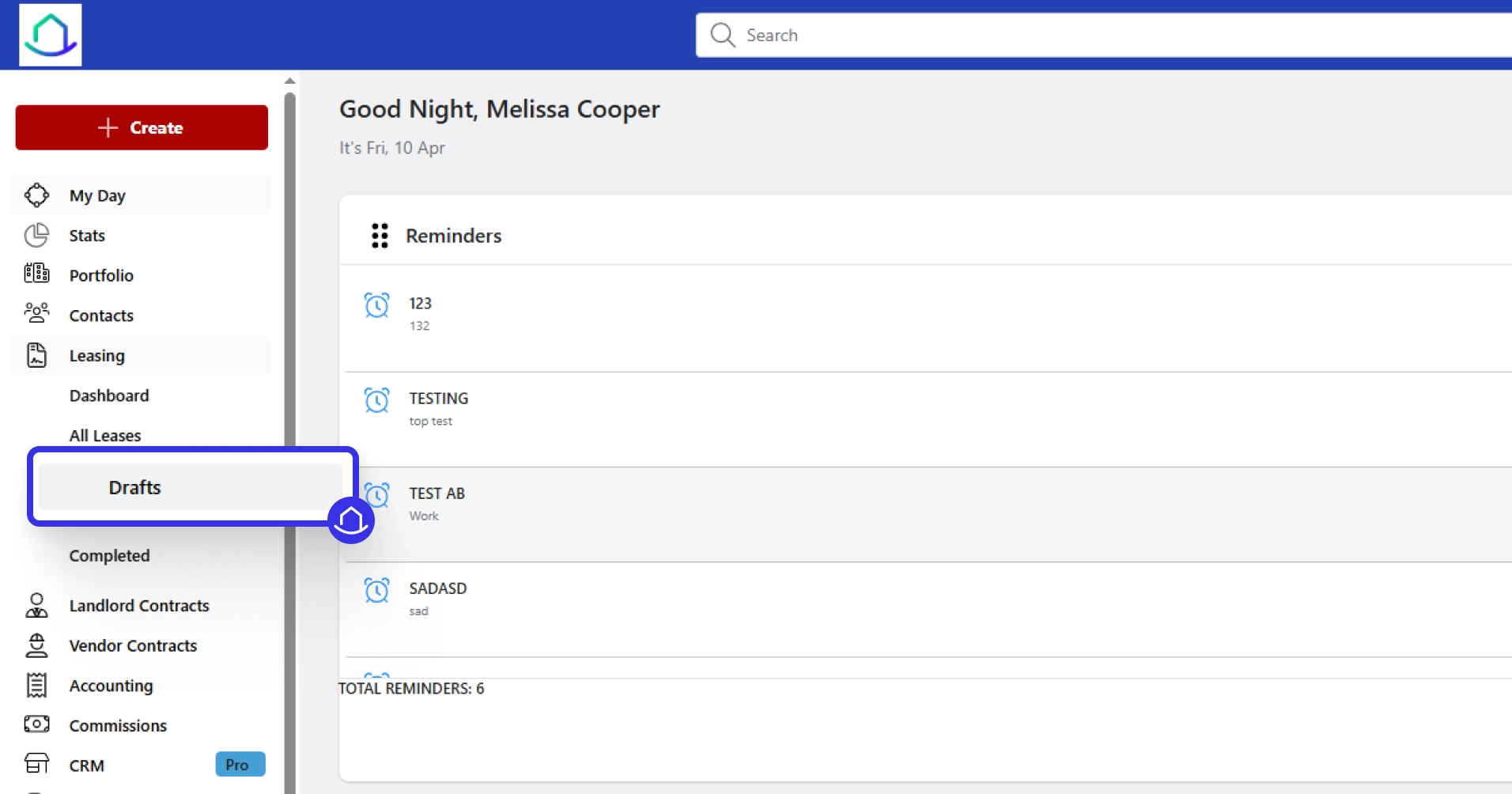
Managing Draft Leases
- Go to the Leasing section
- Click on the Drafts tab
- Select the relevant lease
- Open the overview section
- Verify tenant and property details
- Check rent breakdown (total and annual rent)
- Confirm lease duration
- Review payment structure
Invoice & Documents
- Open invoice section
- Review draft invoice schedule
- Check recurring rent entries and due dates
- Confirm payment method
- Upload documents under eDocuments
- Attach files in attachments section
- Update legal section if required
- Fill custom fields
- Complete Dubai tenancy details
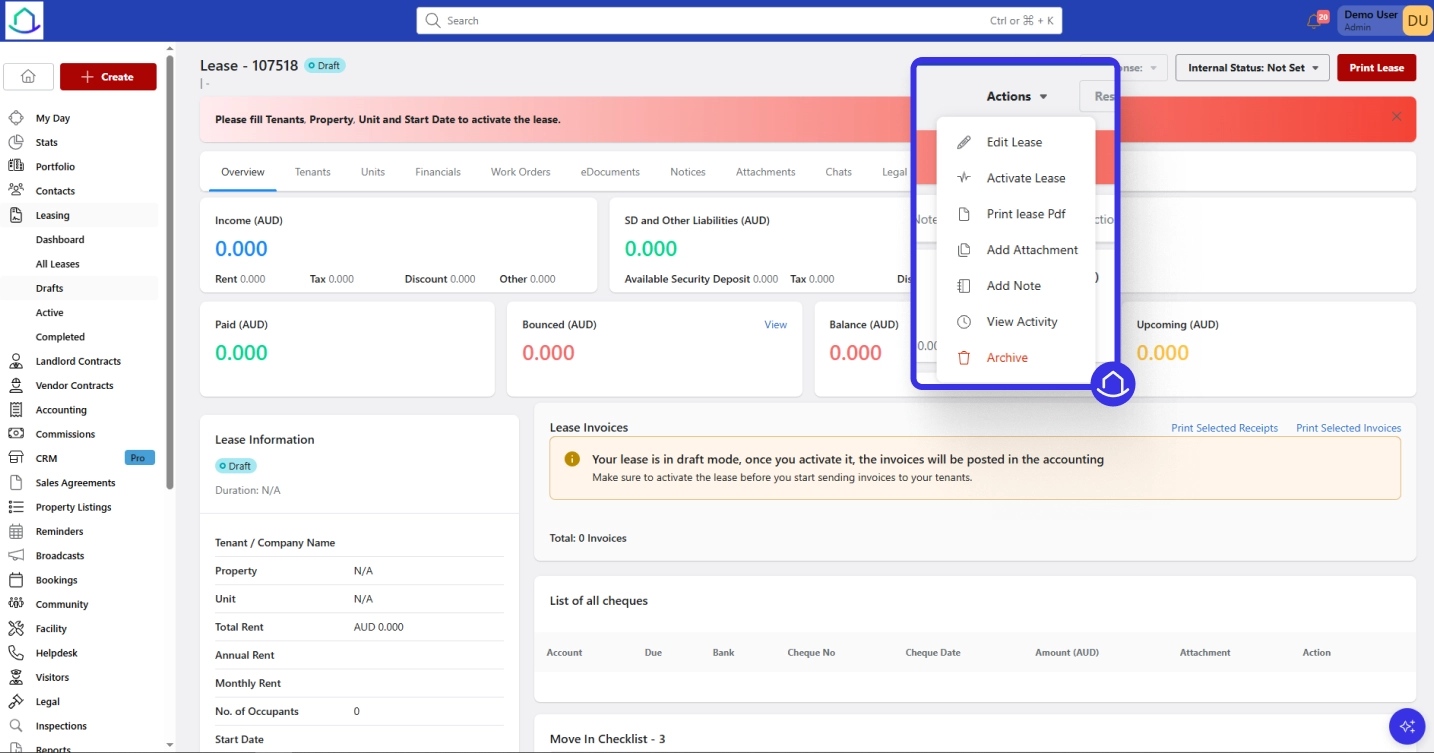
Activating a Lease
- Open the lease from the Drafts tab
- Click “Actions” dropdown
- Select Activate Lease
- Confirm the action
Lease moves to the Active tab
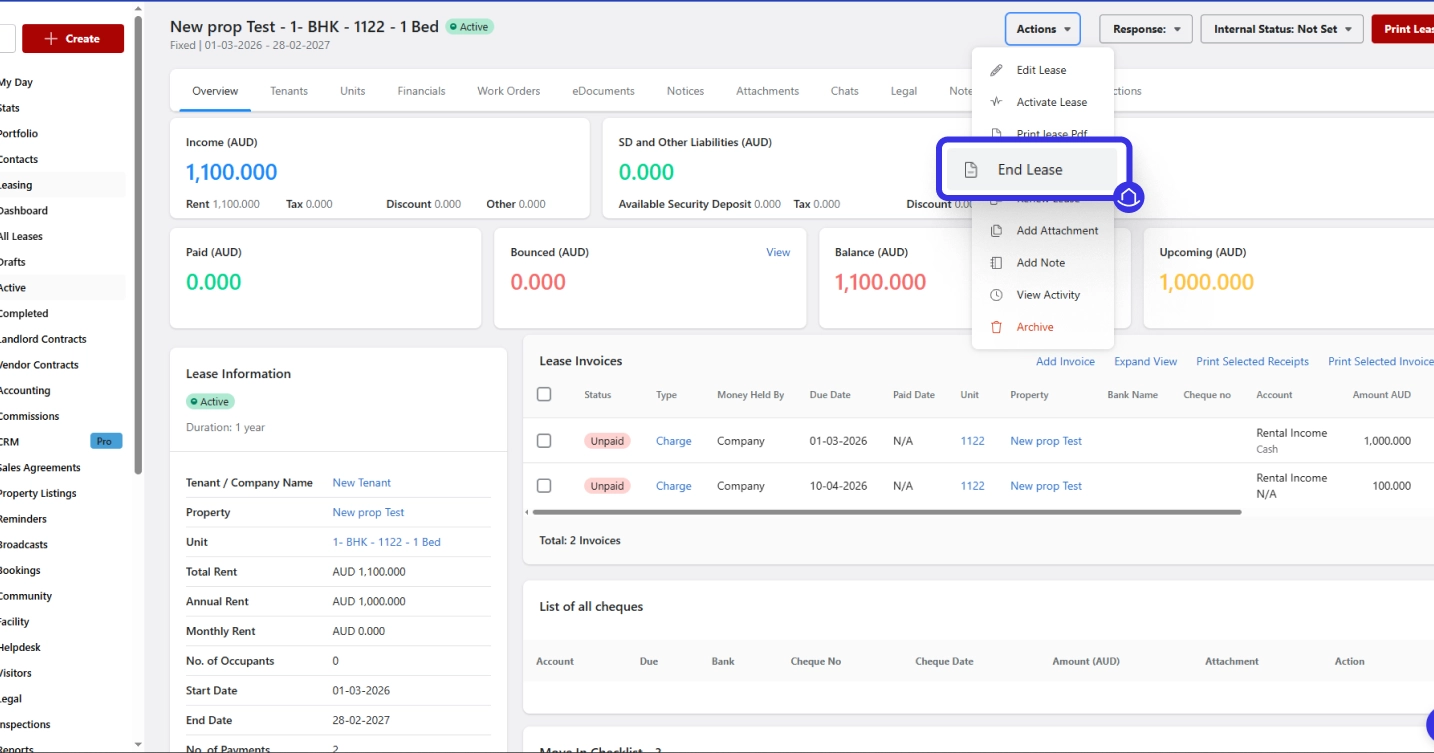
Completing a Lease
- Open the lease from the Active tab
- Click “Actions”
- Select End Lease
- Confirm the action
Lease moves to the Completed tab It will no longer appear in active leases
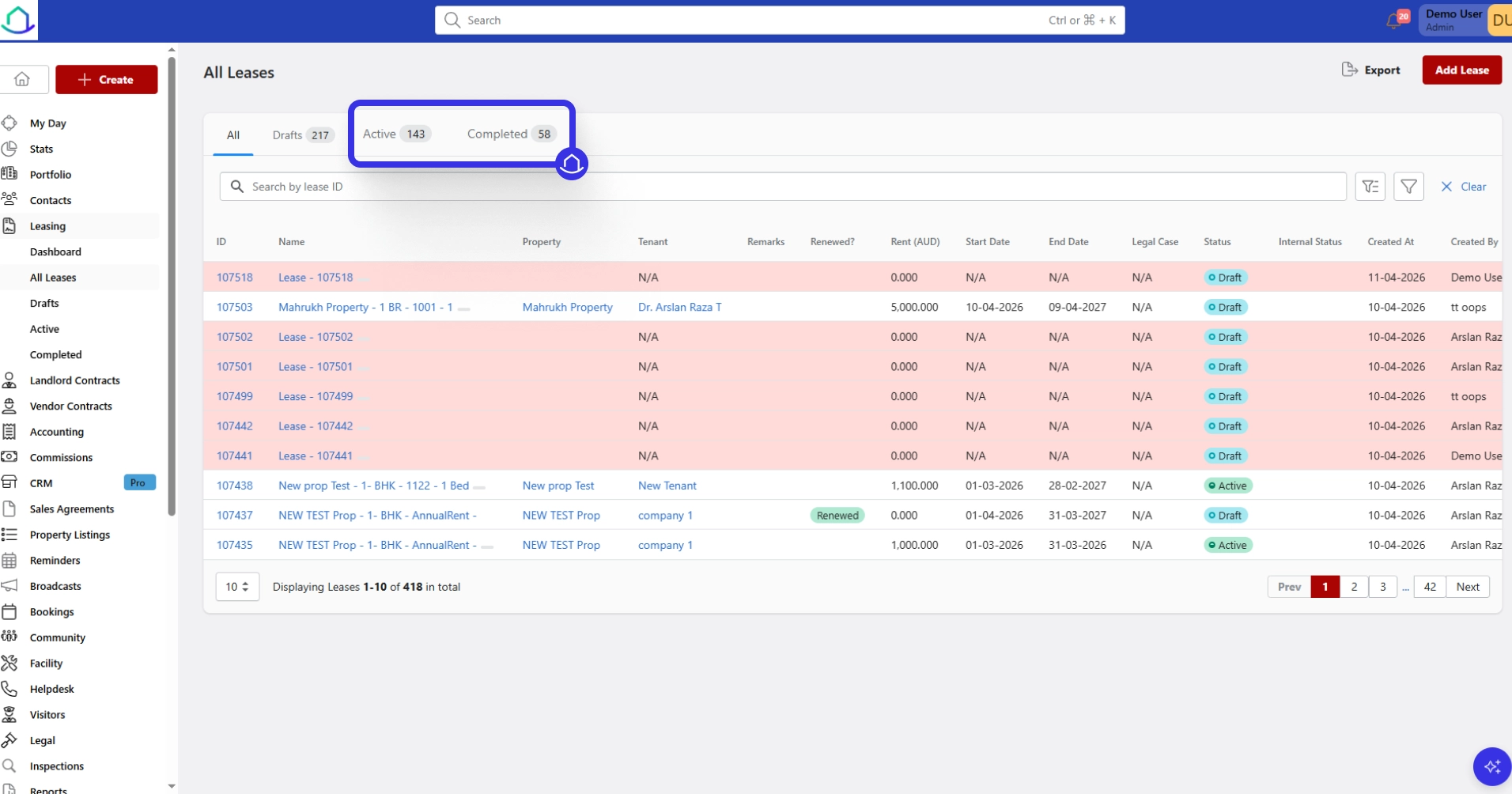
Filtering and Exporting Lease Records
- Select All to view all leases
- Use Drafts for unactivated leases
- Click Active for ongoing leases
- Choose Completed for finalized leases
- Use search bar to find by Lease ID
- Apply filters using filter icon
- Click Clear to reset filters
- Use Export option to download lease records
Key Takeaways
After understanding tenant lease management and how the HappyTenant leasing feature works, the overall process becomes clear. A tenant lease management company in Dubai relies on structured systems to track leases and tenants efficiently.
Platforms like HappyTenant help manage everything from lease creation to completion within a single, organized system.